Give the camera corner a little more attention
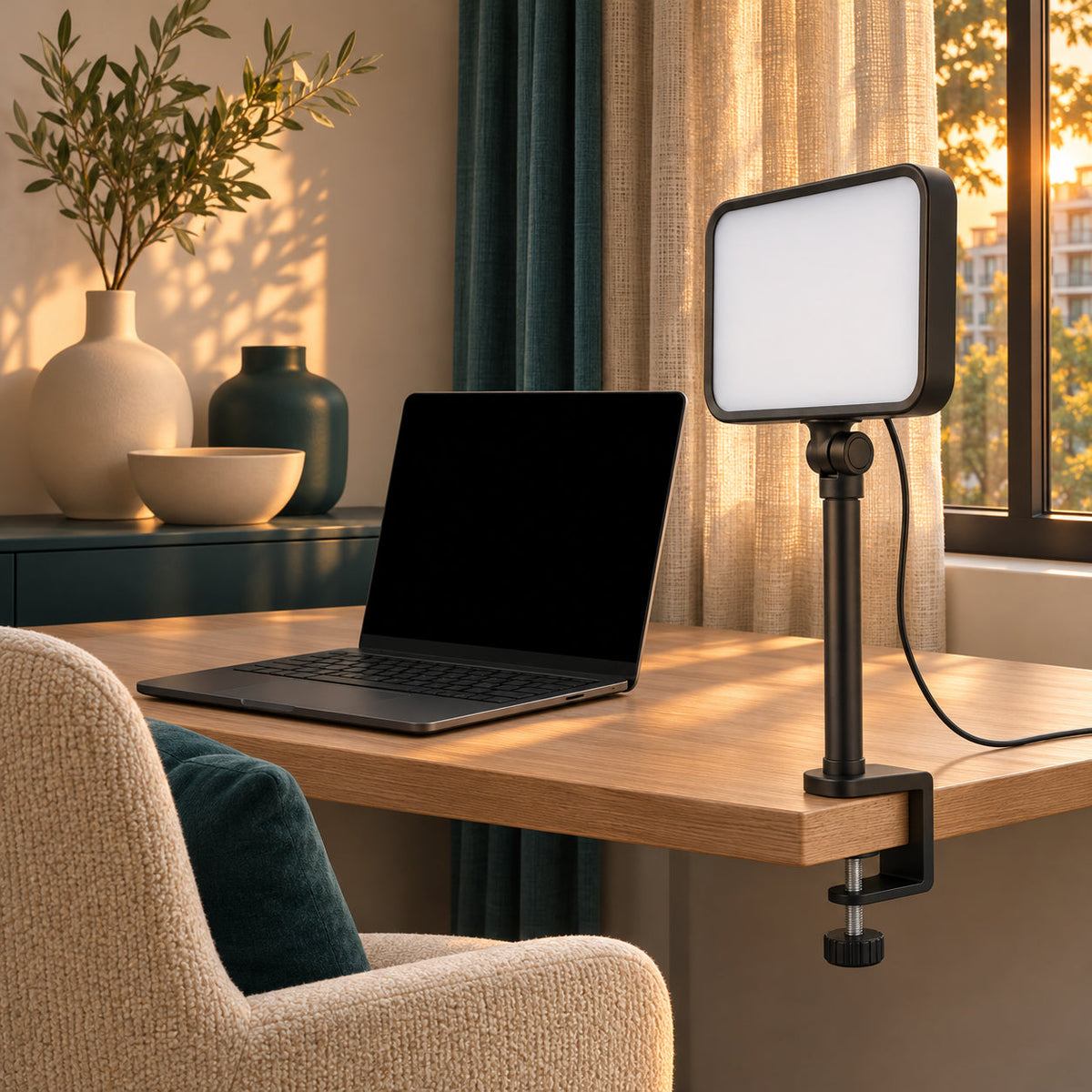
A dedicated video-call light lets you arrange a separate light source around the place where you sit for online conversations. Its desk-clamp format keeps the main work surface available while defining a more intentional call setup.

A compact panel above a slim support
The dark frame surrounds a pale diffusing face, with a narrow upright support leading to the desk clamp. Its simple form stays visually restrained beside a monitor and can fit into a home-office arrangement without becoming a decorative centerpiece.

Build the setup around your seat
Check the clamp’s fit on the desk edge and secure it according to the supplied instructions. Position the panel with your camera and room lighting in mind, keeping it out of the camera’s view and leaving space for normal desk movement.

For conversations that move online
Use a dedicated lighting arrangement for team catch-ups, remote classes, or a personal video chat. Check the power requirements and available adjustments before purchase. Position the light together with your room’s existing lamps and natural light, then review the camera view to find an arrangement that suits your space.

Care before and after a call
Switch off and disconnect before cleaning. Dust the panel and support with a soft dry cloth, keep liquids away, and avoid pressing the diffusing face. Support the arm while adjusting or removing the clamp.

A useful addition to a remote-work gift
For someone beginning a remote role or building a home study corner, a compact call light can be a thoughtful accessory. Pair the quiet black finish with a simple desk organizer for an understated setup refresh.